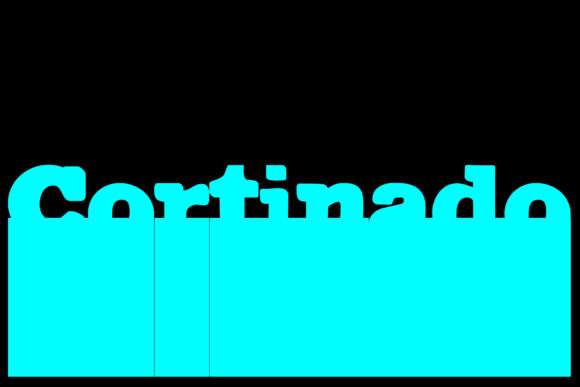
Cortinado: A Display Font with a Mixed Typography Edge
I was deep into the redesign of a boutique online store, trying to find a display font that felt both modern and warm. The client wanted something that stood out without being over the top—something that could carry their brand’s personality across product headers, hero sections, and even social media banners. That’s when I came across Cortinado, a mixed font style designed for digital layouts where visual interest meets clarity.
Using Cortinado in Website Headers and Hero Sections
Cortinado as a display font immediately caught my eye because it blends contrasting styles in a way that feels intentional rather than chaotic. It has a strong presence, which is exactly what you need for a hero headline. In this project, I placed Cortinado on the main headline of the homepage, set against a soft gradient background. The result? A clean yet bold statement that didn’t sacrifice legibility for style.
One thing I always test is how well a font holds up at different sizes. With Cortinado, even at 36px on mobile, the characters were sharp and easy to read. This is crucial for responsive design. You don’t want your hero title to look like a scribble on smaller screens. Cortinado passed the test with flying colors.
Cortinado for Product Landing Pages and Boutiques
The same boutique site also had product cards featuring short descriptions and prices. Here, I paired Cortinado with a minimalist sans serif for body copy. The contrast worked perfectly—the Cortinado headlines pulled attention, while the simpler typeface let details breathe. This kind of font pairing is a game-changer for e-commerce sites that want to feel creative but still professional.
On one card, the product name was written in Cortinado, and the tagline used a lighter version. It created a natural hierarchy that guided the user’s eye from feature to benefit. Even though it’s a mixed font style, there was enough consistency in tone and structure to keep the branding cohesive.
Readability and Scanning Behavior with Cortinado
When working with display fonts, especially mixed ones like Cortinado, readability is a concern. I made sure to avoid using it in long paragraphs or menus, but it performed exceptionally well in short bursts. Think call-to-action buttons, promotional banners, or section titles. These are the places where Cortinado shines—because they’re usually brief and need to command attention quickly.
I tested it in a mobile preview, and the mix of styles didn’t cause any scanning issues. The open counters and balanced spacing helped users process the text efficiently. It wasn’t just decorative; it was functional. That’s the mark of a good display font in web design.
Cortinado in Logo Design and Branding Projects
A few weeks later, I worked on a logo for a wellness coaching website. The client wanted something unique but not too quirky. I tried several script and handwritten fonts before settling on Cortinado. Its mixed nature gave the logo depth—it felt handcrafted yet structured, which aligned perfectly with the brand’s message of authenticity and guidance.
What impressed me was how easily Cortinado translated into supporting materials. From email headers to Instagram bio text, it maintained its charm without becoming jarring. This makes it a solid choice for anyone building a digital brand kit or looking to maintain consistent typography across platforms.
Cortinado for Creative Portfolios and Course Sales Pages
I’ve also used Cortinado on a couple of portfolio sites and course sales pages. On a photography portfolio, the font was layered over an image banner with a subtle drop shadow. It didn’t compete with the visuals, thanks to its high contrast and clear forms. For a course page about branding, I used it for the course title and key benefits list—each bullet point styled differently to add rhythm to the layout.
In both cases, the audience responded positively. The typography didn’t distract from the content but instead enhanced the experience by adding a touch of creativity. When selling courses or showcasing creative work, having a premium font like Cortinado can elevate the perceived value of the offering.
How Cortinado Impacts Brand Trust and Professionalism
Some might think that mixing styles in a font would make it less professional, but in the right context, it does the opposite. Cortinado adds character without compromising clarity. When used thoughtfully, it builds trust by showing that the brand isn’t afraid to be bold and authentic.
For instance, I used it in a campaign landing page for a sustainable fashion startup. The font’s blend of elegance and edge matched the brand’s mission—innovative yet grounded. It became part of the story, helping the brand stand out in a crowded market.
Font Pairing Tips When Using Cortinado
Pairing Cortinado with the right secondary font is essential. Because it has a decorative flair, I recommend balancing it with a simple sans serif like Inter or Lato for body text. This keeps the interface friendly and scannable while letting Cortinado do the heavy lifting in headers and accents.
If you're going for a more editorial vibe, a classic serif like Merriweather or Playfair Display works well too. Just be careful with weights and sizing. Cortinado needs space to breathe, and if you crowd it with similar-styled fonts, it loses its impact.
Checking Cortinado’s Webfont Availability and File Formats
Before committing to Cortinado, I checked the file formats included. It supports WOFF and TTF, which are standard for most web projects. The licensing was straightforward—perfect for small business websites or freelance clients who need commercial use rights without legal red flags.
I also looked at the included styles. There are enough variations to create subtle shifts in tone without needing to switch fonts. This is a big plus when designing a full brand identity or working on multiple assets like blog headers, social posts, or email templates.
Cortinado for Image Overlays and Digital Ads
Another place where Cortinado really stands out is in image overlays. I used it for a campaign promoting handmade jewelry, placing the headline directly over a product photo. The font’s adaptability meant it looked great whether the background was light or dark. It’s rare to find a display font that handles both so well.
Its performance in digital ads was equally impressive. Short phrases needed to pop, and Cortinado delivered. Whether it was a Facebook ad or a Google Display Network banner, the font helped increase engagement simply by standing out more clearly than generic sans serifs.
Why Cortinado Fits Better Than Most Display Fonts
Many display fonts either lean too heavily into novelty or come off as bland. Cortinado strikes a balance. It’s not just another pretty face—it’s built with real-world usability in mind. The mixed style gives it versatility, allowing it to fit into various niches—from lifestyle brands to tech startups with a creative angle.
It’s also lightweight compared to some other display fonts, which helps with loading speed. In today’s fast-paced digital landscape, every millisecond counts. Cortinado doesn’t weigh down your site while still delivering a premium look.
Real-World Layouts Where Cortinado Excels
- Hero sections on landing pages
- Product banners for online shops
- Call-to-action buttons with short, punchy text
- Blog headers and article titles
- Course sales pages and service offerings
- Logo text and branded headings
- Decorative accents in UI components
Each time I’ve used Cortinado in these spots, it’s added a layer of sophistication. It’s the kind of font that makes your layout feel intentional, not just slapped together with whatever was trending.
Final Thoughts on Cortinado and Modern Typography
As a designer, I’m always on the hunt for typefaces that offer more than just aesthetics. Cortinado checks that box. It brings a fresh take on mixed font styles and proves that creativity and usability can coexist in digital design. If you're working on a site that needs to reflect a dynamic yet trustworthy brand, give Cortinado a try.
Test it in your next project. See how it behaves in headers, logos, and even buttons. And once you've seen it in action, you might just wonder why you ever settled for the same old display fonts again.